
When sending and receiving files the maximum file size depends on your plan and the web browser you're using.
Modern browsers support files sizes up to 100GB. Out-dated web browsers depend on Macromedia Flash which supports individual files up to 2GB in size.
How do I check the max upload size for my plan type?
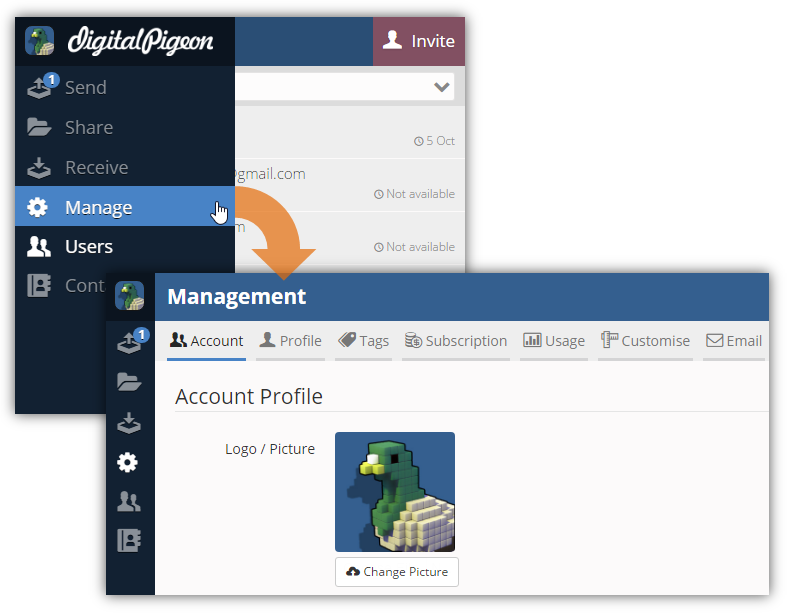
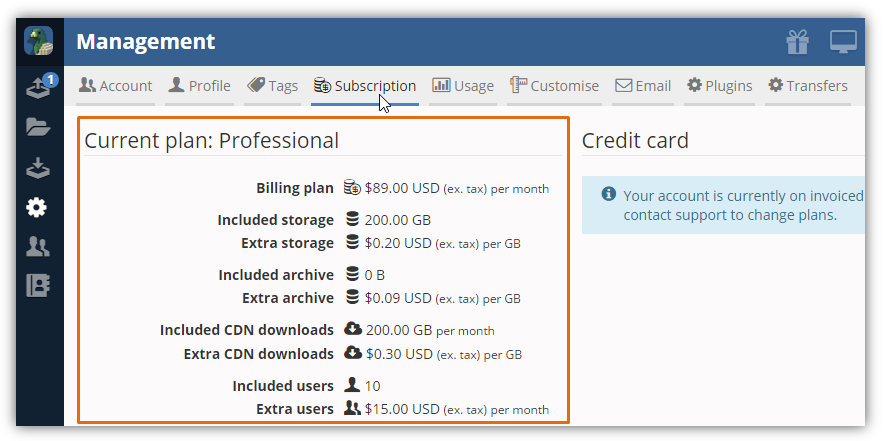
You can view your plan's maximum upload size on the Manage > Subscription page.
- In the Sidebar menu, click the Manage module and you will be directed to the Management page.
- Click the Subscription tab to view the maximum upload size for your plan.
How do I update my web browser to the latest version?
Head to Google's http://whatbrowser.org/ for more information on updating your web browser and to check if you have the latest version.
Comments
0 comments
Please sign in to leave a comment.